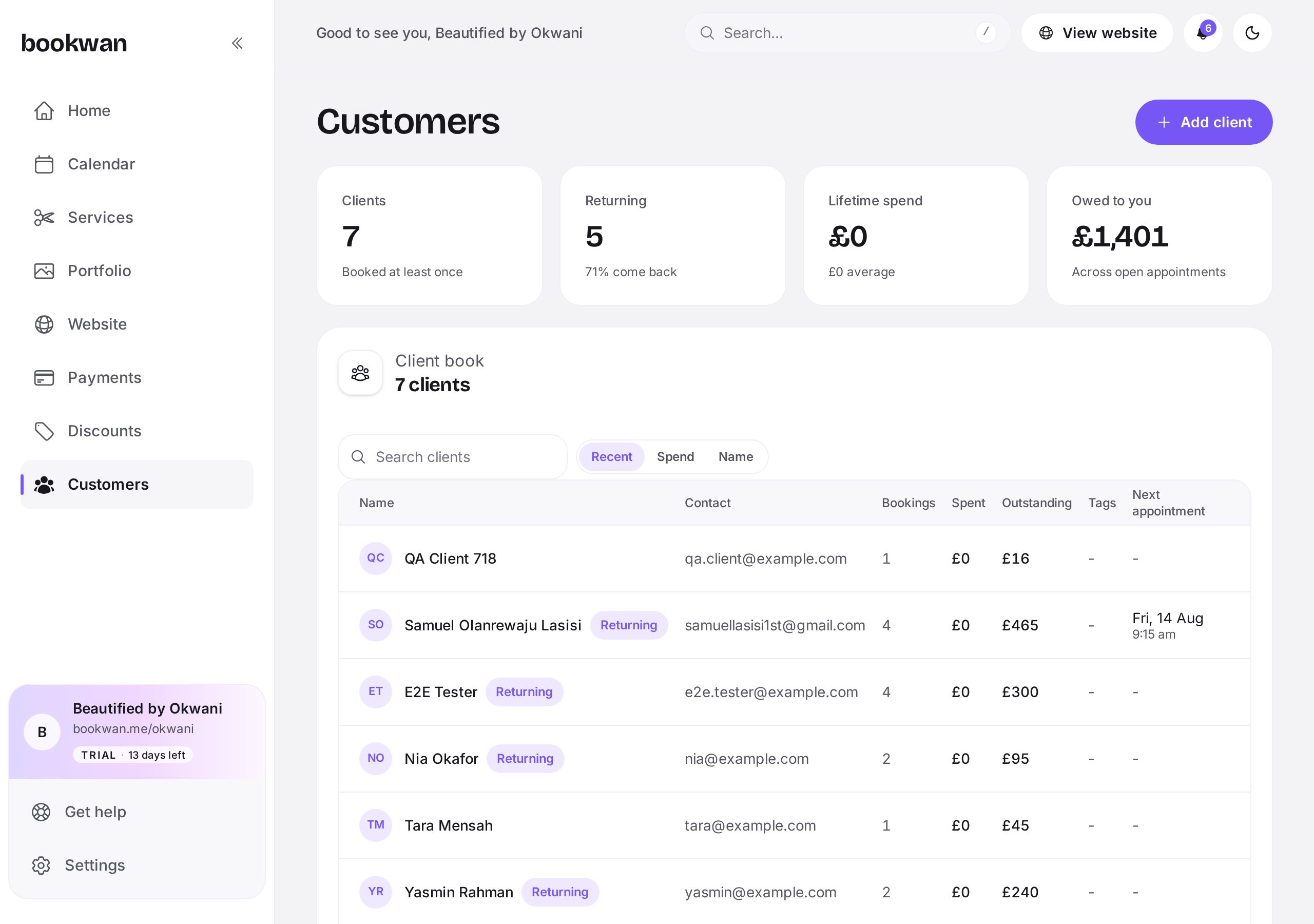
Search and sort
Search by name, email or phone, and sort by most recent, highest spend or alphabetically to see who your regulars really are.
Open a client
- Every past and upcoming appointment, with what they paid.
- Private notes: formulas, allergies, preferences, patch test dates.
- Tags such as regular, new or VIP so you can group people.
Put this into practice
Bookwan gives you a booking website, deposits, reminders and your calendar in one app. 15 days free, no card needed to start.
Get startedKeep reading
- A tour of your Bookwan dashboardWhat every part of the dashboard does: setup progress, revenue, today's appointments and the side menu.
- How to add and price a serviceCreate a service with duration, price, deposit and staff, then add variations such as lengths or add-ons.
- How to manage your calendar and availabilitySet working hours, block time off, reschedule an appointment and see clashes side by side in your diary.